Our ranking of the best no-code website builders

.avif)
.avif)
.avif)
.avif)
Thanks to no-code tools, everyone can now create a website. These new software tools simplify and accelerate the creation of digital projects for beginners with no programming knowledge, as well as for experienced developers.
However, there are many tools. How do you find the one that best suits your needs? And first, what exactly is a no-code tool?
This article helps you make a decision by presenting you with the best available tools.
I. Definitions and Clarifications
Without a no-code tool, a website is developed using several programming languages. HTML code structures your site's content, while CSS code modifies its style.
A no-code website (also written as "no-code" or "nocode") is a website developed using software that writes the code for you. You can therefore build an entire website without programming knowledge, thanks to simple actions like "drag-and-drop."
An e-commerce site, or online store, is a website designed to sell a product. Some no-code tools specialize in creating this type of site. This facilitates the integration of payment methods, shopping cart systems, and inventory management.
No-code software often comes with CMS. As a reminder, a Content Management System is a Content Management System. It is an intuitive and flexible admin interface that facilitates the integration of databases without a line of code, once again.
This allows the everyday user to directly and simply manage numerous data such as blog posts, products on an online store, or even team members.
II. The Best No-Code Website Builders
1. Webflow
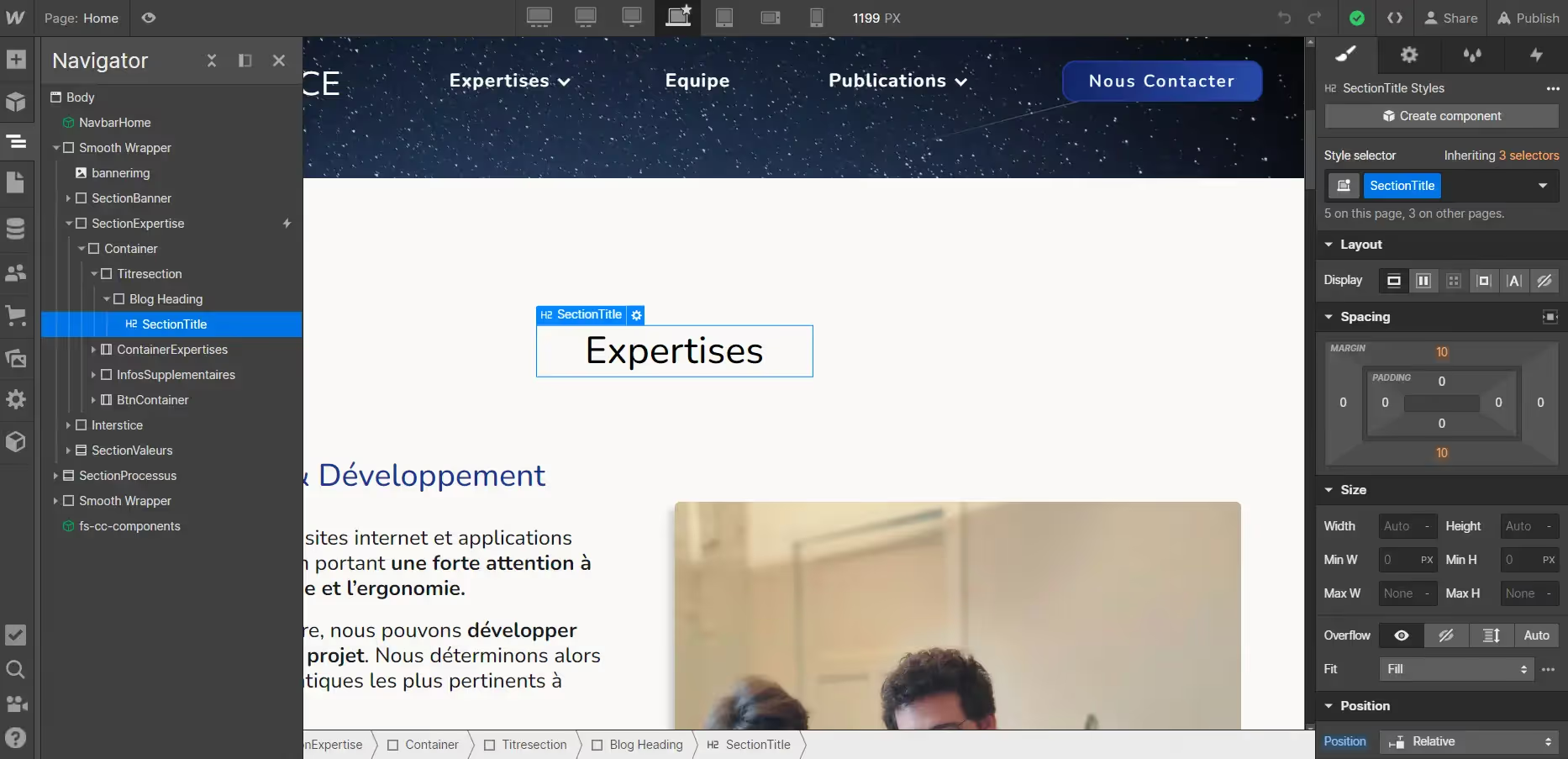
Our top pick. Webflow is an excellent tool for building no-code websites due to its ease of use and advanced features.
Webflow offers an intuitive interface that allows users to design and customize websites with simple drag-and-drop functionality. Equipped with a versatile and optimized CMS, websites developed with Webflow deliver top performance in terms of loading speed.
Webflow's modern approach ensures it's always up-to-date with best practices, especially regarding accessibility. It includes a recommendation tool to ensure content is readable by all users. Check out our article on accessibility to learn more!
While Webflow offers pre-designed website templates, one of its greatest strengths is the design freedom it provides. You can achieve exactly what you envision with relative ease on Webflow, unlike other no-code tools, which are much more restrictive in this regard.
Webflow's extensive creative freedom and flexibility require a certain level of expertise to be utilized to their full potential. That's why we recommend working with an agency specializing in Webflow for your project's creation using this tool.
For more information on the topic, we invite you to read our in-depth article on Webflow !
Webflow offers a free version to get familiar with the tool. You can create a website with a maximum of 2 static pages to explore its features. The site is then hosted on a Webflow-owned domain.
For creating more extensive websites, here are the available plans:
- $18 / month for the Basic version: custom domain name, 100 static pages but no CMS
- $29 / month for the CMS version : same benefits as the Basic version but with 2000 CMS items available
- $49 / month for the Business version : up to 10,000 CMS items available.
Webflow also offers plans for creating e-commerce sites:
- $42 / month for the Standard version : same benefits as the CMS version, up to 500 products, and payment management.
- $84 / month for the Plus version : up to 5,000 products.
- 235$ / month for the Advanced version : up to 15 000 products.
2. Wordpress
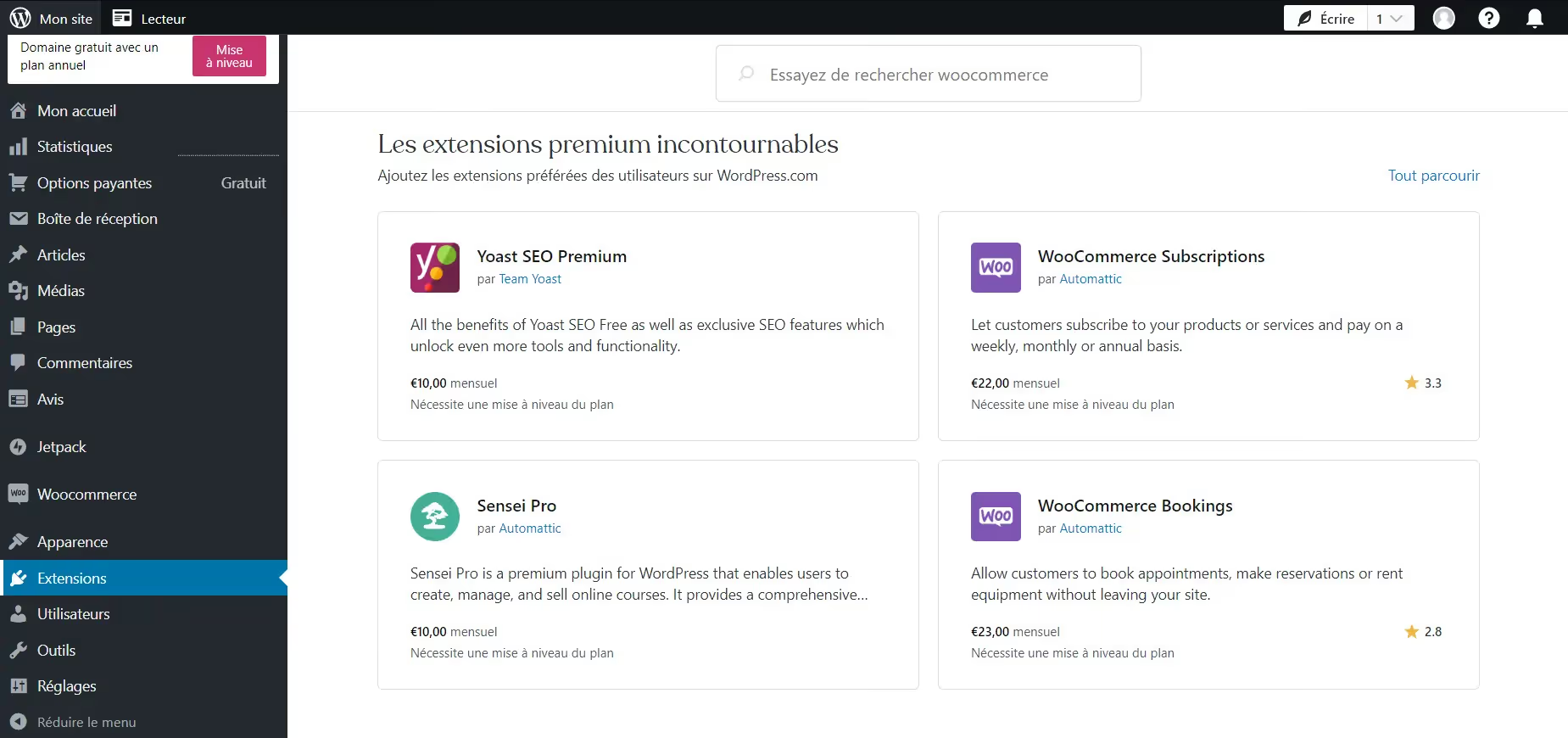
Wordpress is the oldest and most widely used no-code website builder. More than 40% of websites on the internet have been developed with Wordpress.
Wordpress features a very comprehensive interface, which, once mastered, is simple and intuitive to use.
Thanks to its popularity, Wordpress benefits from a large, active user community. This community develops numerous website models, called templates. These templates allow users to create projects starting from an existing base, which simplifies and accelerates the creation process.
Wordpress works with the addition of "plugins," which are custom features that are not in the original software. These additional options make this tool very versatile: data management, aesthetic customization, payment methods…
Wordpress does not have customer support. However, many users frequently answer questions asked on the help forum.
This tool, however, requires coding knowledge to access more advanced features and to have full control over your site's design.
Wordpress offers a free version, which does not include hosting for your site.
Hosting solutions are:
- €9 / month for the Personal version : identical to the free version, with hosting
- €18 / month for the Premium version : you get access to premium templates and more customization options
- €40 / month for the Business version : this option guarantees enhanced security and increased storage. Ideal for sites with a very large number of pages.
- €70 / month for the Commerce version : designed for creating e-commerce sites, this version includes an inventory management system and international payment processing.
WordPress therefore has the advantage of offering very competitive prices. However, be aware that many plugins are available as "freemium" versions.
This means that the standard version is available for free but then requires a subscription to use all its features.
The cost of a WordPress site can therefore increase with the addition of features.
For more information on this topic, we invite you to read our article on the differences between Webflow and WordPress.
3. Wix

Wix is probably theeasiest-to-use no-code website builder in this ranking. Starting from a template, you can very quickly achieve a tangible result that you can publish online.
Wix offers a questionnaire to identify your needs and help you choose the template that best suits you. Do you want to create a blog? A restaurant page? An event website?
Once the layout is selected, many features can be added to complete your site: login area, blog, comment section…
So you will have a template containing all the desired features from the start. This time-saving, however, comes at the cost of more limited design freedom.
You can create an entire project with Wix for free. However, to host your site, you must subscribe to a plan:
- €6.60 / month for the Domain version : hosting on a custom domain. The Wix logo is present on the site and bandwidth is limited (reduced performance).
- €12 / month for the Basic version : removal of Wix branding and increased storage.
- €20.40 / month for the Unlimited version : unlimited bandwidth and a significant increase in available storage.
- €34.80/month for the VIP version : priority support and a significant increase in lead forms.
Wix also offers separate plans dedicated to creating an e-commerce website :
- €24/month for the Basic Business version : payment system and 25 lead forms.
- €36/month for the Unlimited Business version : 50 lead forms.
- €52.80/month for the Business VIP version : priority support and 75 lead forms.
4. Squarespace

Squarespace is a no-code website builder perfectly suited for beginners. A vast library of templates will be available to help you start with an existing foundation. You can then easily customize the template to reflect your brand.
Squarespace has the advantage of having analytics tools directly within the editor. You can therefore avoid installing Google Analytics or other analytics tools, which often require some setup steps.
You'll also receive support for creating and distributing marketing content, such as newsletters or promotional pop-ups.
Squarespace is a versatile tool that will suit entrepreneurs and small businesses who are looking for an easy-to-use tool that supports them in their marketing campaigns.
Squarespace does not offer a free plan; however, it is available for 14 days to test the tool. The paid plans are:
- €15 / month for the Personal version : hosting on a custom domain
- €24 / month for the Business version : integrated e-commerce with payment processing, 3% transaction fees
- €28 / month for the Basic Commerce version : customer login area, 0% transaction fees.
- €42 / month for the Advanced Commerce version : subscription sales, advanced features (sending emails to customers who haven't completed their carts...)
5. Shopify

Shopify is the go-to for creating no-code online stores. Specifically designed for this purpose, Shopify is equipped with numerous options to simplify the management of your e-commerce: customer tracking, various payment methods, product management...
After answering qualifying questions about your needs, a template will be suggested to help you get started as easily as possible. Then all you'll have to do is customize it to your brand and add your products!
If you have a physical retail store, Shopify also offers to link with your inventory to manage your stock across both your physical and digital sales.
Shopify is therefore the optimal solution for stores looking to grow quickly by starting from an existing model!
Shopify is free for 5 days, after which you'll need to switch to a paid version:
- €27 / month for the Basic version : 1.8% transaction fees and access to basic reports.
- €79 / month for the Shopify version : 1.6% transaction fees and access to professional reports.
- €289 / month for the Advanced version : 1.4% transaction fees, custom report editing, and international pricing.
6. PrestaShop

PrestaShop is a powerful software that allows you to create no-code e-commerce stores. It also includes analytics tools to monitor your traffic and sales.
Unlike the other tools presented in this article, access to Prestashop is not available directly from their website. It requires installing the software with your hosting provider. You'll therefore need to find a hosting provider before you start creating your online store.
Once installed, the interface resembles that of WordPress: both operate using plugins. This way, you can customize pre-existing templates and add desired features.
Prestashop is completely free and open-source (the software code is available to everyone). However, the tool has a learning curve and unfortunately cannot be tested directly online.
Prestashop offers partners on its website through whom you can host your site. They also offer a solution for proprietary hosting for €450 / month.
7. Bubble
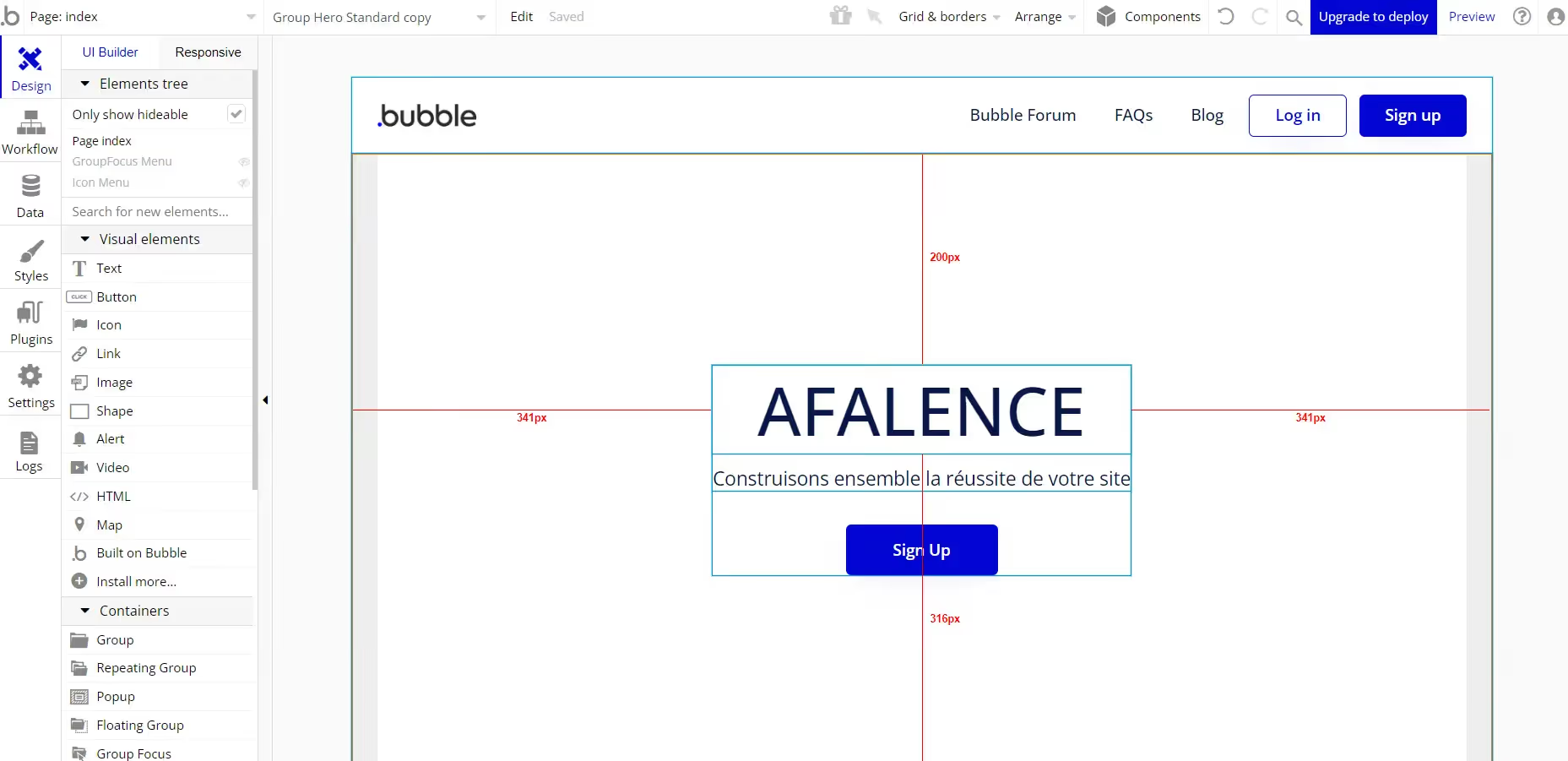
Bubble is a no-code web application development tool. Its unique feature is that it allows for the creation of "workflows". Workflows are logical elements that allow you to simulate and program numerous actions related to user behavior.
Indeed, most of the tools presented in this article are software that facilitate your website's layout but remain limited in terms of logical features. Bubble will therefore help you to develop interactions that go beyond simple visual elements.
Bubble also offers a lot of design freedom, similar to Webflow, because you start from a blank canvas. On the other hand, a certain learning curve is required to work efficiently with the tool.
Bubble is therefore an ideal tool for people who want to integrate many features into their websites.
Bubble offers a free version to test the tool. However, this version does not allow you to host the project. To do so, you need to subscribe to a plan:
- $32 / month for the Starter version : custom domain name and computing power of 175k Workload Units (Bubble's unit for estimating the necessary computing load on your site)
- $134 / month for the Growth version : 250k Workload Units of computing power
- 399$ / month for the Team version : 5 collaborators can work on the project, 500k Workload Units.
8. Dorik

Dorik is a no-code website builder that offers great creative and design freedom. Like Webflow, you can start from a blank canvas to build your site exactly as you envision it.
Like most of the software mentioned in this article, Dorik uses a drag-and-drop system. Very user-friendly, its interface is intuitive and efficient.
Dorik also features a preview across all available screen sizes: computers, tablets, and phones. As with Webflow, you can therefore easily build responsive and optimized websites for all screen types.
Dorik offers a free version without hosting on a custom domain, allowing users to get familiar with the tool.
For more professional hosting, a subscription is required:
- $48 / year for the Personal version : one domain included, but Dorik branding will be present on your site
- $129 / year for the Business version : 3 domains, Dorik branding removed
- $449 / year for the Agency version : 25 domains
9. Carrd

Carrd is a no-code website builder specializing in "one-page" websites, which are single-page showcase sites.
Carrd is one of the software easiest to use and offers a large library of existing templates to achieve a professional look very quickly.
To illustrate its speed of creation, you can build your page even before having an account on the site!
One of Carrd's advantages is also its price: free for publishing on a carrd.co domain, then only $19 / year for a custom domain name. [SEG 9]
Carrd is therefore the simplest and cheapest option in our ranking,
ideal for creating a business card based on an existing template! However, customization options are very limited.
10. Builder.io

Builder
is a tool for no-code website creation aimed at developers. This software stands out because it requires technical skills. Indeed, it acts as a visual tool that developers can rely on to speed up their work.
Builder is unique in being a headless CMS, meaning it only makes up the "body" of your site: the content and aesthetics.. This allows it to integrate with other tools, such as Shopify for example. This way, the latter only handles data management.
Builder is therefore a no-code tool that offers many features to people with HTML and CSS knowledge.
The main difference between the various subscriptions is the bandwidth allocated to your site:
- Free Version : 10GB of bandwidth.
- $99 / month for the Basic version : 100GB of bandwidth.
- $449 / month for the Basic version : 500GB of bandwidth.
III. Frequently Asked Questions
What is the difference between a no-code site and a coded site?
A website is made up of different computer languages: HTML for content, CSS for aesthetics, and JavaScript for interactions. Coding a website therefore requires versatile programming knowledge.
A no-code site is developed using software that allows you to "drag and drop" elements onto a page, much like a PowerPoint document. A no-code site is therefore much simpler and quicker to build.
However, a no-code site is often less customized and more limited in available features.
Is a no-code site less performant than a coded site?
In terms of technical performance, both options have their merits: a no-code site will be automatically structured to be easily read by browsers. However, some unused elements can slow down page loading.
A coded site theoretically has no superfluous code. However, a coded site can encounter bugs and programming errors. Modern no-code tools like Webflow now create some of the fastest and most efficient websites.
What is the price of a no-code website?
The advantage of a no-code website is the time saved on development, which directly impacts the price. A no-code website will therefore, in most cases, be less expensive than a coded website.
The price of a no-code website depends on its size and the integrations it includes: login portal, appointment booking form, animations, etc. Every project is different, so it's difficult to give an exact price.
That said, a showcase website with about ten pages and standard integrations generally costs between €5,000 and €10,000, including design.

See also our other articles
Discutons de vos besoins
Vous cherchez une agence de confiance pour votre projet ? Contactez-nous et découvrez comment nous pouvons vous aider