What is Figma used for and what are its benefits?

.avif)
.avif)
.avif)
.avif)

Figma is a design and visual creation tool for websites and applications. It is currently the most popular and powerful for various reasons that we will discuss in this article.
I. What is Figma used for?
1. Designing Websites and Applications with Figma
Figma's primary function is to enable the creation of website and application mockups. Indeed, this tool has established itself in recent years as the benchmark for visual design.
Its intuitive interface and the multitude of features it offers make Figma a toolkit that allows you to tackle any project with confidence. Both in terms of configuration and organization, and in expressing creativity, everything is optimized to allow Figma Designers maximum freedom and efficiency.
2. Creating Wireframes using Figma
When undertaking a digital project like a website or an application, it's best to go through several stages to ensure the product is optimized for both the user and the designer.
To find out more about this, you can read our article discussing the various steps necessary for a successful website or application project.
Here, we'll focus on two main design phases:
- We first work on user experience (UX).
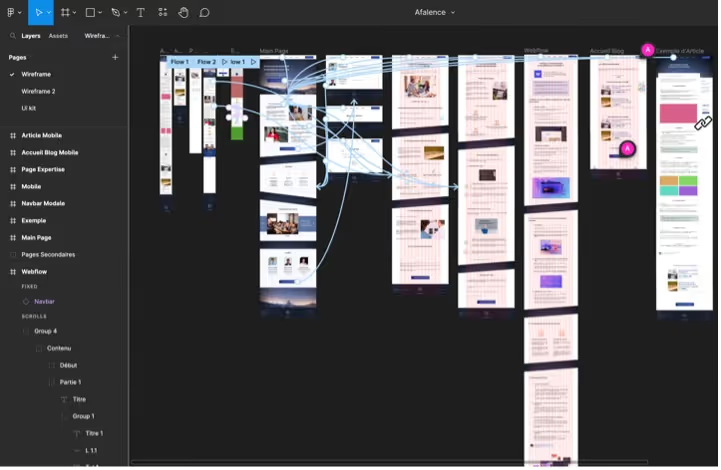
- Next comes the wireframe creation. A wireframe is the blueprint that outlines all the pages and interfaces of the planned product. It's essentially a schematic version of the future website. This is akin to creating the skeleton of a digital project before visually fleshing it out.
When creating the wireframe, the designer and the product teams jointly define its framework and organization. They then work on the different pages and their arrangement, as well as their overall layout in terms of graphic elements (images, text, buttons, animations, etc.)

The fact that Figma's interface is intuitive and very easy to use makes it an excellent tool for creating wireframes, comparable to Miro, for example.
Indeed, Figma allows for the very easy creation of schematic elements and shapes. These are particularly useful, especially since they can be turned into "components" for repeated use and simultaneous modification.
Furthermore, certain plugins like Arrow Auto or Draw Connector allow for adding links between the different pages of the skeleton. The visual result is then even more impactful, which is ideal for presenting it to another team or a client.
3. Creating Visual Assets and Brand Guidelines in Figma
Figma is a comprehensive tool that allows you to efficiently perform tasks on your own, tasks for which you would have needed to use different applications just a few years ago.
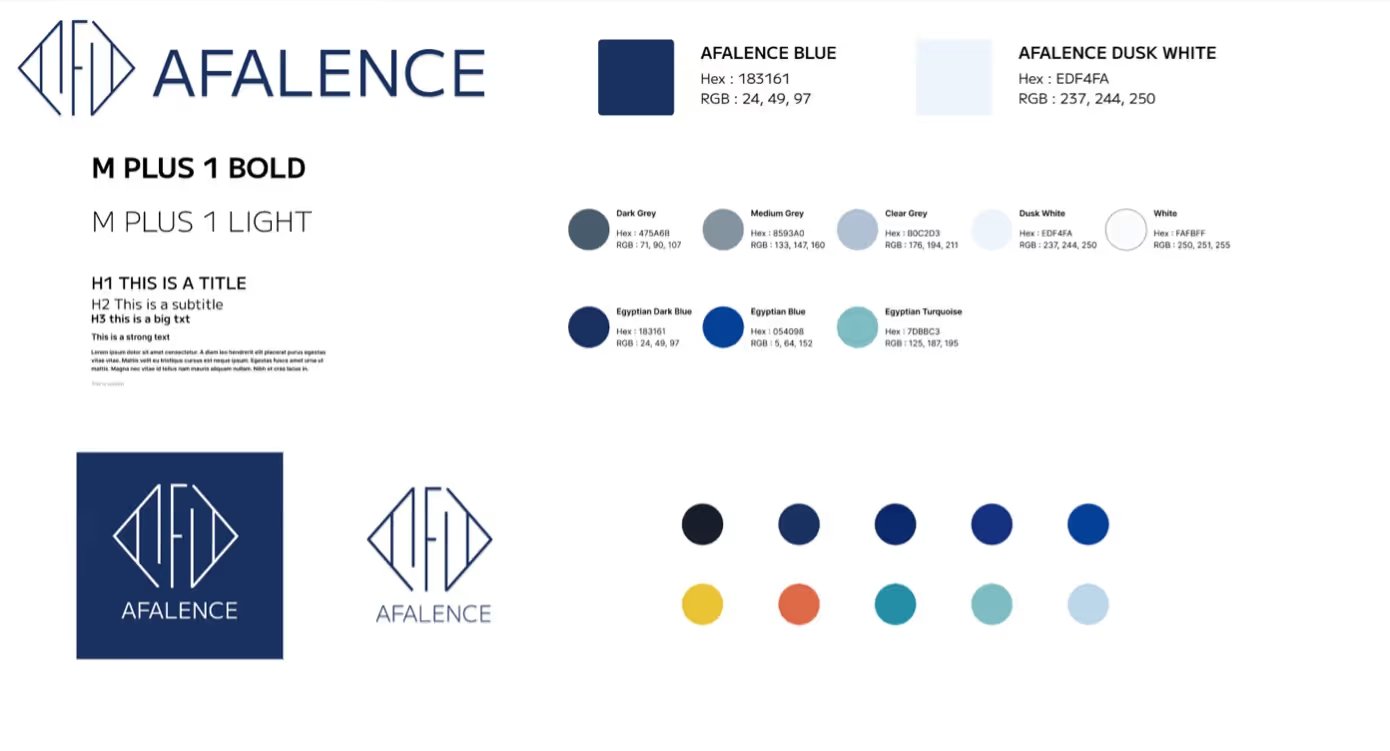
it is extremely easy to create all types of visual assets on Figma. Here, we can think of logotypes, complete brand guidelines (typography, color palettes), or even communication materials such as flyers, brochures, and business cards.
Photo editing is also easy on Figma, and exporting the created elements is just as straightforward, in various formats.
Figma is therefore a particularly comprehensive and useful tool for UI and UX Designers, no matter the project they wish to undertake.
However, Figma's primary functionalities remain the design and creation of visual mockups. Thus, if you wish to create complex communication materials or an advanced brand identity, other tools would be more suitable. For example, you might consider Canva, Photoshop, InDesign, or Illustrator. These more specialized tools will offer you greater flexibility and possibilities.
II. What are Figma's main features?
1. Figma's key features
Regarding the tool's specific features, here's an overview of its key functionalities:
- Perfect reproduction of a company's brand guidelines thanks to a wide range of settings and plugins: every design element can be unique and customized to faithfully reflect the client's identity.
- Diverse range of available and supported resources. Figma allows working with text, shapes, and images. These elements are fully editable.
- Creating dynamic designs. This means that mock-ups created in Figma can be animated, offering a preview of many user interactions with the website or application once it's coded.
- Creating responsive designs. Rules and constraints can be defined to ensure that the various elements of the mock-up continuously adapt to the sizes and properties of their containing elements.
2. Team Collaboration and Community in Figma
Figma offers the significant advantage of being designed and optimized for teamwork. Several features make collaboration smooth and easy:
- The implementation of graphic codes to be followed throughout the entire design (margins, sizes, thicknesses, overflows, colors, etc.). This saves time for development teams who reproduce elements identically.
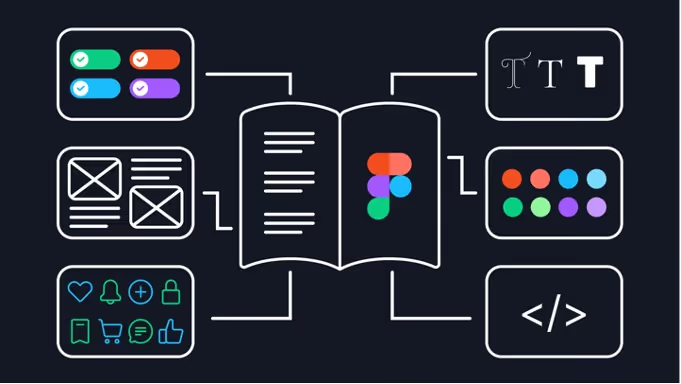
- The centralization of elements and resources used by product teams, from designers to developers. All styles, codes, and elements to be used by the teams can be defined in the UI Kit (a page typically created in the workspace to integrate all recurring visual elements). Component libraries and style guides facilitate this centralization.
- The ability to export various design elements and resources in numerous formats, depending on the current need.
- Simultaneous work on all projects, with the option to share a project with different statuses based on the access level granted to each collaborator. A "chat" and comment system is also integrated.
- The immense diversity of "Plugins" that can be added to our projects. These auxiliary tools are mostly free and open source, created by the community for the community. They allow any Figma designer to increase their productivity and creativity by providing countless additional features that address specific needs or situations. We have also written an article summarizing everything there is to know about Figma plugins.
For example, the ability to visualize what a design looks like for a colorblind or visually impaired person is possible thanks to the "ColorBlind" plugin.

III. Why use Figma?
1. Summary of Figma's Key Differentiators
There are other powerful visual design tools. Sketch and Adobe XD have long been the preferred choices for creating website mockups. Other tools such as InVision, Marvel, Miro, or even Canva are sometimes used for this purpose.
However, Figma very quickly established itself as the new go-to tool, and this is thanks to it being the only tool that offers numerous distinguishing features :
- Figma's interface is very modern and intuitive
- Figma's features are numerous and constantly evolving
- Figma is the most comprehensive tool for graphic design and creation, both for creating new elements and for editing imported ones
- The Figma community is one of its main strengths. It contributes daily to improving the experience through the many plugins created
- Multiple collaborators can work simultaneously on projects and mock-ups created with the tool
- Figma has many features optimized for developers. Their work becomes easier and more efficient, whether projects are fully coded (HTML, CSS, React, Vue, Typescript…) or built with no-code (Webflow)

2. How much does Figma cost?
Figma is free in its standard version, unlike Adobe Creative Suite applications (Illustrator, InDesign, Photoshop…) or Sketch, for which a subscription is required if you don't want to purchase them.
Figma becomes a paid service when you want to exceed 6 shared design pages. However, personal design files remain unlimited in the free version.
There are two paid versions:
- The "Figma Professional" plan costs €12 per editor per month. It allows for the creation of an unlimited number of files, shared with an unlimited number of people.
- The "Figma Organization" plan costs €45 per editor per month. It provides access to numerous additional analysis, sharing, and tool customization features.
Now that you know what Figma is for, it's time to give it a try!
Here is the link to the website Figma.
Clicking "Get Started" in the top right allows you to create an account and begin!
Here is the application download link.
We hope this article has helped you learn more about Figma, its main features, and benefits.
If you'd like to learn more, we invite you to check out our article to find out how to get started with Figma, or our top 10 essential Figma plugins for using the tool effectively!

See also our other articles
Discutons de vos besoins
Vous cherchez une agence de confiance pour votre projet ? Contactez-nous et découvrez comment nous pouvons vous aider